Kradandam
 Kradandam
Turn your line art into a chalk-drawing video.
Free chalk drawing video maker — no sign-up, no watermark. Upload line strokes on a black background, get a chalk-on-blackboard drawing reveal ready for Shorts, Reels and TikTok.
Shape
Quality
Full HD looks sharper but takes ~2× longer to draw.
Frame rate
Higher fps looks smoother but takes proportionally longer (60 fps ≈ 4× the wait of 15 fps).
■ draw 8.0 s · ■ show 2.0 s — drag the yellow handle for drawing time, the cream one for video length
⏱ Estimated drawing time: ~60 seconds after your job starts(queue wait not included)
You'll see the traced strokes first — nothing is drawn until you confirm.
By uploading you agree to the Terms.
What kind of image works?
Honest answer: only one style draws well — line strokes on a black background. Everything else comes out messy or abstract.
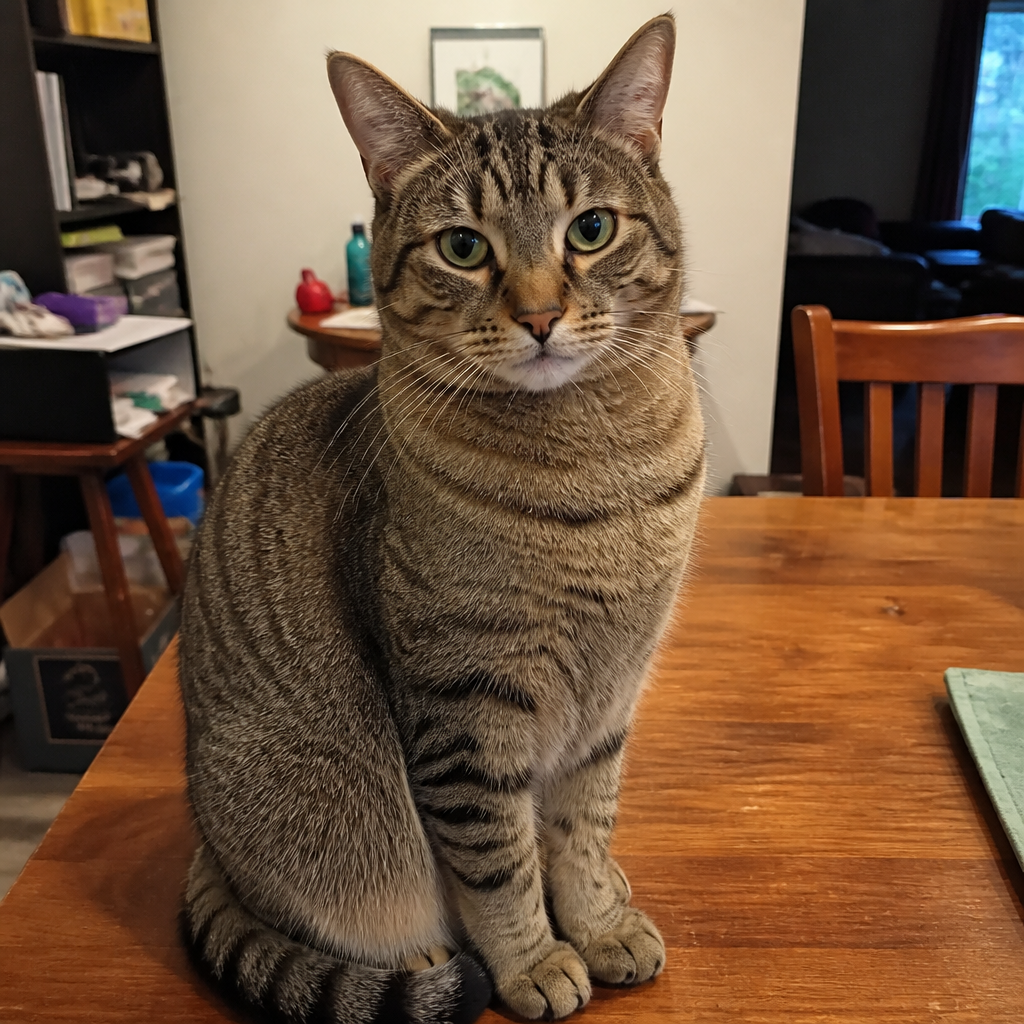
Color photo
Solid areas and gradients turn into abstract chalk blobs — the result rarely looks like the photo.
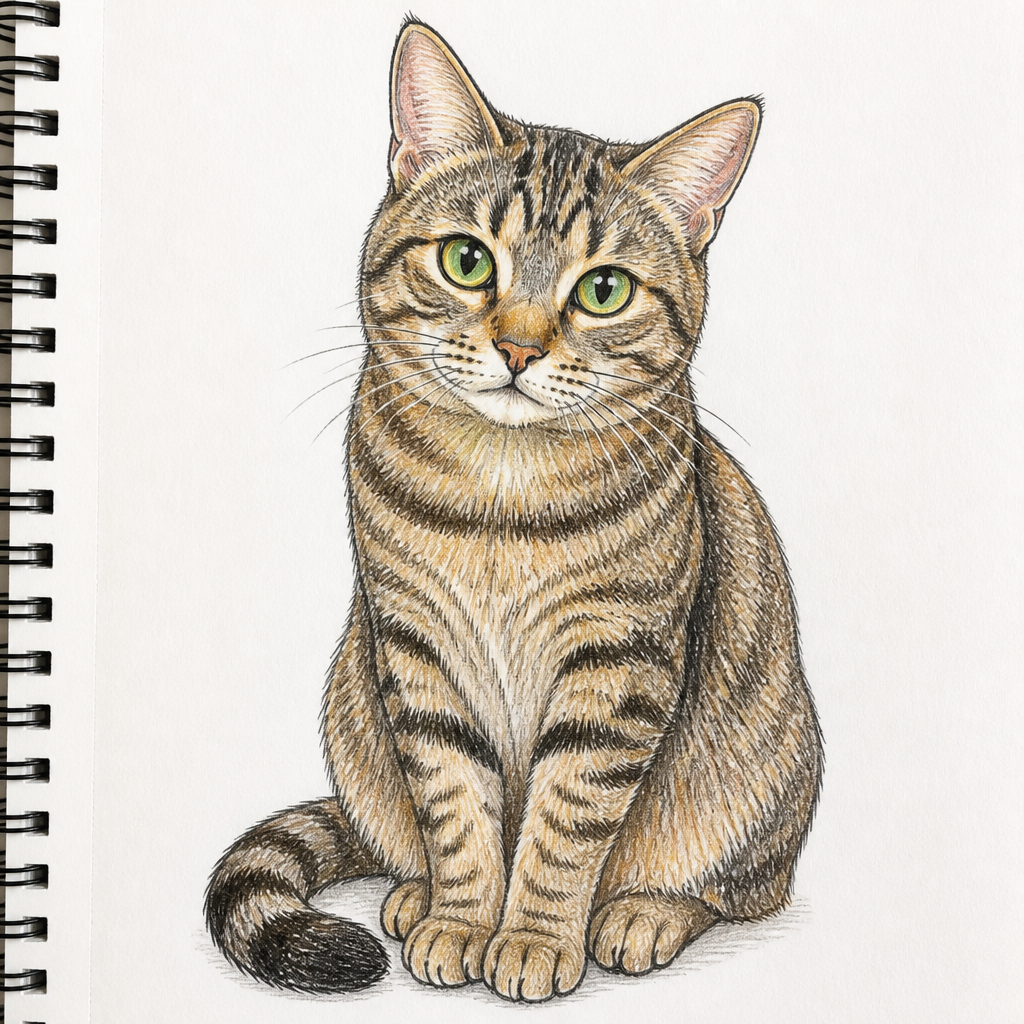
Drawing on light paper
A light background forces the tracer to flip the contrast — lines come out broken and rough.
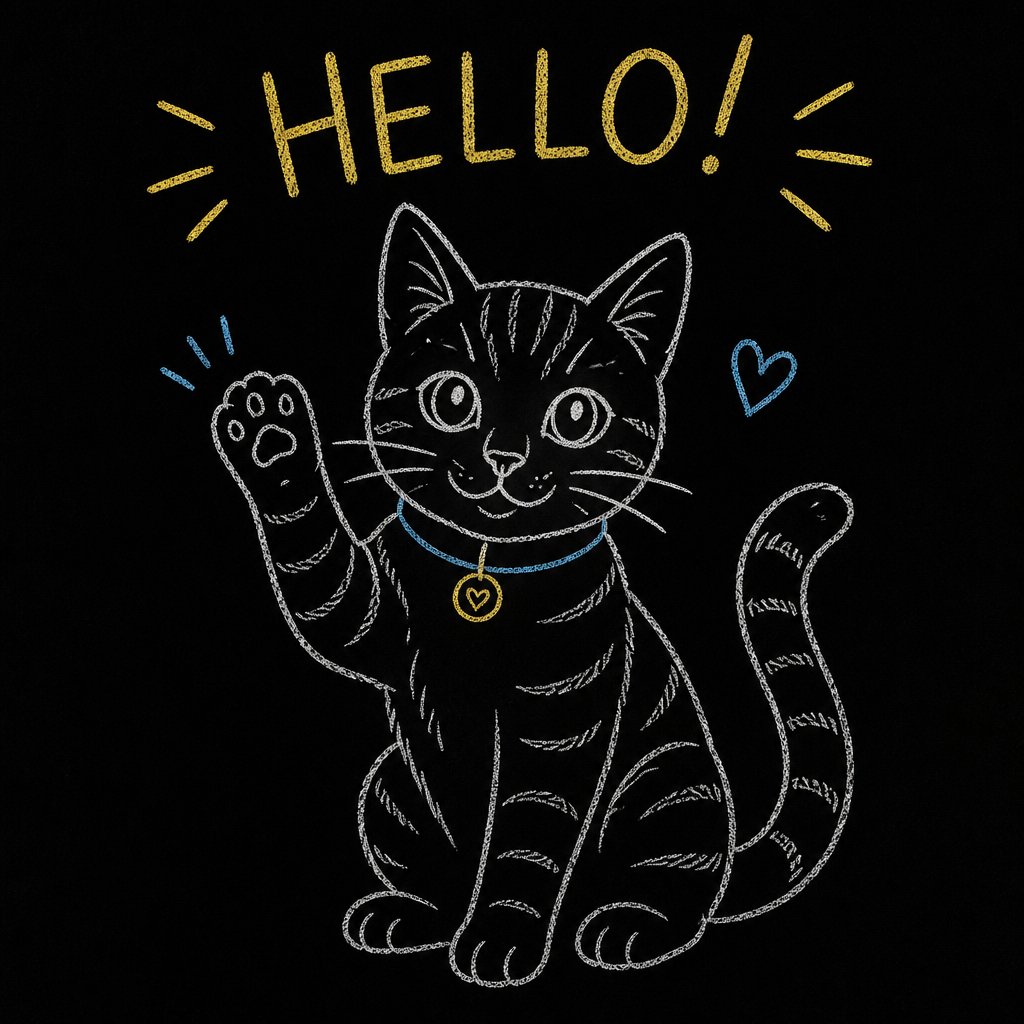
Line strokes on black
Thin strokes on a pure black background — any stroke color, no fills. This is the only style that draws well.
- ✓Thin line strokes — like chalk, pen or wire art
- ✓Pure black (or very dark) background
- ✓Any stroke color — colored chalk is fine
- ✗No solid fills, shading or gradients
- ✗No overlapping color areas
- ✗No photos or busy backgrounds
💡 Making your image with AI?
The easiest way to get the one style that works: ask for chalk line-art — thin strokes, black background, no solid fills. Colored chalk is fine. Add this to your prompt:
chalk line-art drawing on a pure black blackboard background, thin chalk strokes only, colored chalk allowed, no solid fills or shading, clean high-contrast linesChalkboard animation, made simple
Kradandam is a free online chalk drawing video maker. It turns line-art images — thin strokes on a black background, like chalk doodles, pen sketches or wire-style logos — into a blackboard animation: your image is traced into strokes and drawn stroke by stroke with chalk, complete with a chalk-scratch sound and an optional board-erase ending. The result is a drawing-timelapse style sketch reveal, the same look as whiteboard-animation explainers but on a classic dark chalkboard. It is honest about its limits: photos and filled artwork don't translate well, so the tool shows you a stroke preview before any video is rendered.
There is nothing to install and no account to create: upload an image, preview the traced strokes, pick the size (vertical 9:16 for Shorts, Reels and TikTok, square 1:1, or 16:9 for YouTube), choose how long the drawing takes, and download your MP4. Share it to the public gallery if you want others to see it — or keep it private and it is deleted automatically within 24 hours.
FAQ
Is Kradandam really free?
Yes — 100% free, no sign-up, no watermark. Fair-use limits apply (a few videos per hour) so the blackboard stays free for everyone.
What is a chalk drawing video?
A short animation where your picture is drawn stroke by stroke with chalk on a blackboard — also called a chalkboard animation, sketch reveal or drawing timelapse. It's a popular style for Shorts, Reels, TikTok intros and explainers.
What kind of image works best?
Only one style really works: thin line strokes on a pure black background — like chalk or pen line art. Any stroke color is fine, but no solid fills, shading or overlapping colors. Photos and drawings on light paper come out messy or abstract. The stroke preview always shows you the result before anything is drawn.
Can I use a photo?
You can try, but it usually disappoints — solid areas and gradients turn into abstract chalk blobs instead of clean strokes. For a photo, first convert it to chalk-style line art (an AI image tool can do this — there's a ready-made prompt on this page), then upload that.
How long does it take?
Most videos are ready in under two minutes. Longer, higher-fps or Full-HD videos take a few minutes more — the page shows a live estimate before you start.
Can I use my video commercially?
Yes. The video is generated from your own image, and you can download and use it anywhere, including monetized channels.
How does a free site like this survive?
Kradandam runs on donations — if a video made you smile, a coffee via the Buy Me a Coffee button keeps the blackboard running. In the future we may also add a few unobtrusive ads to help cover server costs, but the tool itself will stay free.